
Run a scan
Run a scan
Run scan queues a job. The target page lists it as queued, then running, then completed or failed.
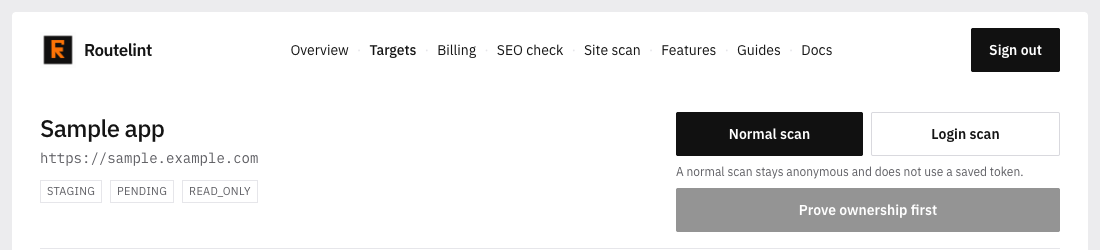
- 01
Choose Normal scan or Login scan
A normal scan stays anonymous and does not use a saved token. A login scan asks for a bearer token, sends it as Authorization: Bearer, and crawls while signed in. The token is stored encrypted.
- 02
Click Run scan
The button stays disabled until the host is verified. On a login scan it also stays disabled until the token is at least eight characters. Production sends an extra confirmation with the request.
- 03
Let the worker open the app
The worker opens the base URL, records XHR and fetch calls on that host, follows up to twenty-five links, and clicks up to eight controls. Controls that look like delete, log out, pay, checkout, reset, or unsubscribe are not clicked.
- 04
Wait for completed
Open the Scans tab. A completed row is the one to read. The worker must be running or the job stays queued.
Read-only: GET, HEAD, and OPTIONS are replayed
POST, PUT, and DELETE stay in the catalog and are not sent again
Logout, delete, password reset, checkout, and send-mail paths are skipped
At most 100 API calls are kept from the crawl